XP Counter
World of Tanks mod

XP Counter

How many ×3 and ×5 XP bonuses are left?

A Garage widget shows how many completions of the “×3 Crew XP Bonus” and “×5 Combat XP Bonus” missions are left. It only shows them; it applies and changes nothing.

XP bonuses

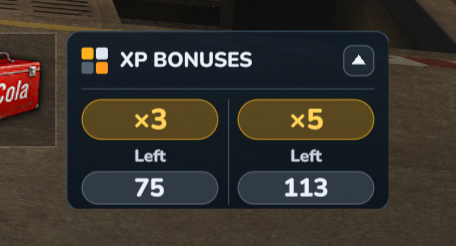
The XP BONUSES widget: ×3 has 75 left, ×5 has 113 left.

In the picture 75 ×3 completions and 113 ×5 completions are left.
Garage

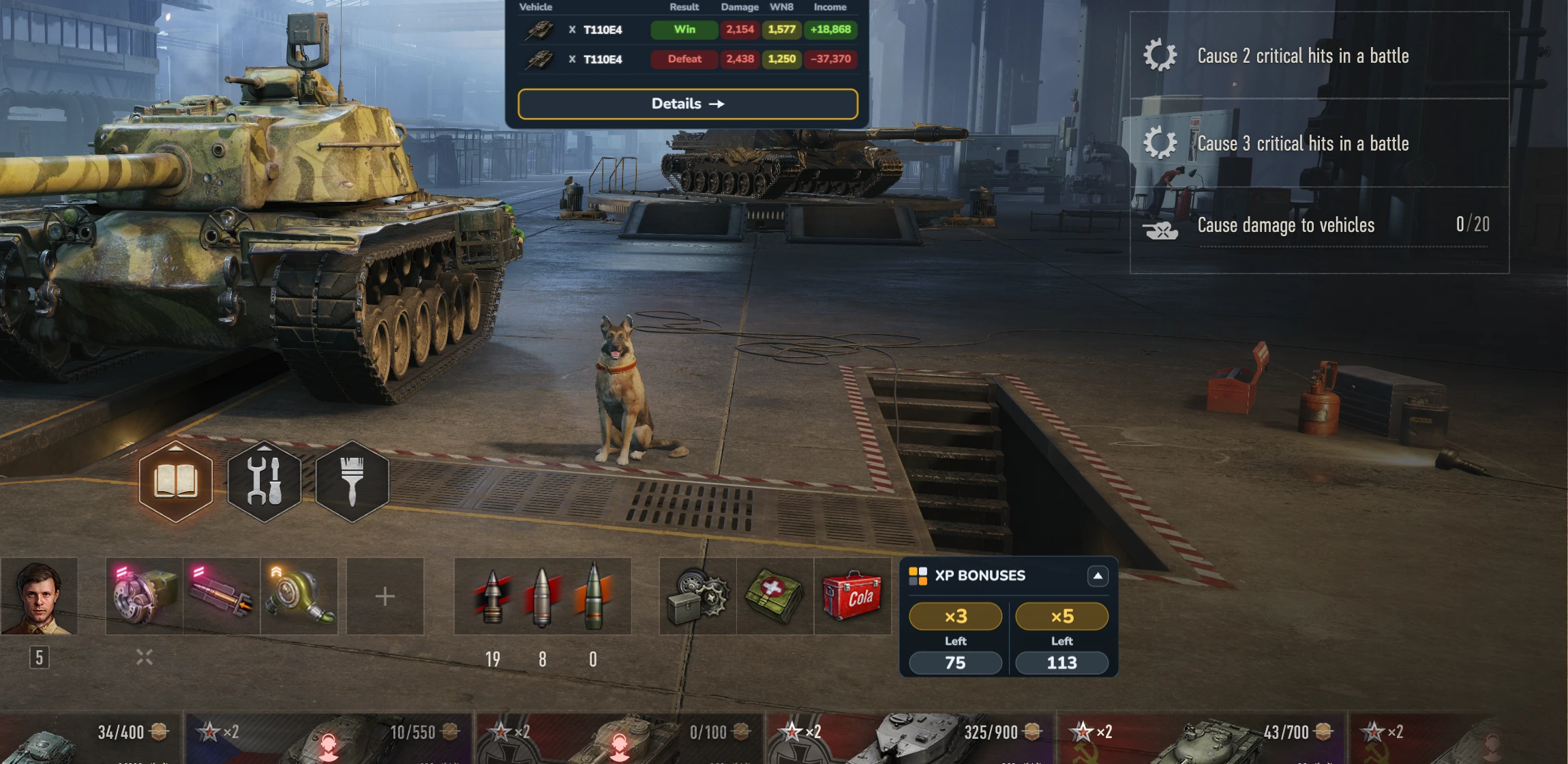
Widget on the left
World of Tanks Garage. Above the vehicle carousel is the XP BONUSES widget with the ×3 and ×5 remainders.
XP bonuses×3 · 75×5 · 113

What the widget shows

×3 and ×5
The remaining completions of the “×3 Crew XP Bonus” and “×5 Combat XP Bonus” missions (the additional missions tab).
Shows only
It applies and changes nothing.
“—”
No data from the client.
“0”
Nothing left, a grey tile.
The XP BONUSES widget: ×3 has 75 left, ×5 has 113 left.
The widget in the Garage. Under each multiplier is the number of completions left.

The tooltip under the widget

Hovering over ×3 or ×5 shows a tooltip under the widget. In the picture: ×3 crew XP for victories (the “×3 Crew XP Bonus” mission), 75 completions left.
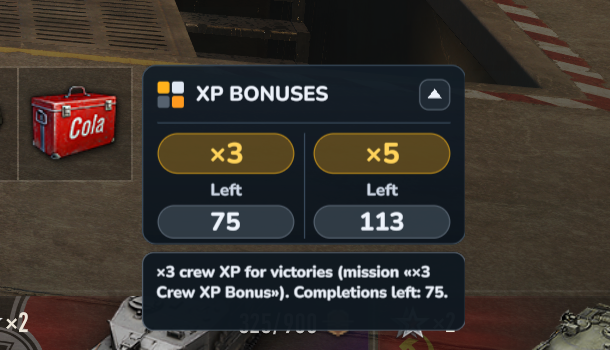
The XP BONUSES widget with a tooltip: ×3 crew XP for victories, the “×3 Crew XP Bonus” mission, 75 completions left.
The tooltip for ×3. The mission name and the remainder in one line.

Controls

Ctrl + left mouse button
Hold on the widget and drag. The position is saved.
Ctrl + mouse wheel
Widget size: from 1.0 to 6.0, 3.0 by default. Saved.
The ▲/▼ arrow in the header
Collapse or expand the widget.
WEB271 menu
In the Garage click the WEB271 icon, choose “Mod Settings”, then XP Counter. It has three settings: “Show the widget”, “Widget size” and “Collapsed view”.

What the widget does not include

Installation and removal

Installation

  1. Close the game.
  2. Copy web271.xp_counter_0.1.0.wotmod to <game folder>\mods\2.4.1.1\.
  3. Start the game. On the first start the mod adds one line to res_mods\2.4.1.1\gui\gen_resources\gameface_layouts.json (a copy of the original is kept next to it: .web271_xpc_backup).
  4. Restart the game once more: the widget appears in the Garage.

Removal

  1. Close the game.
  2. Delete mods\2.4.1.1\web271.xp_counter_0.1.0.wotmod.
  3. Optional: delete the mods\configs\web271\xp_counter folder and restore gameface_layouts.json from the copy gameface_layouts.json.web271_xpc_backup.

Download and versions

How to download

The XP Counter download link will appear here. Version 0.1.0, file web271.xp_counter_0.1.0.wotmod.

How to install

The four steps are in the “Installation and removal” section.

Free version

The mod is free in full.