Hit list
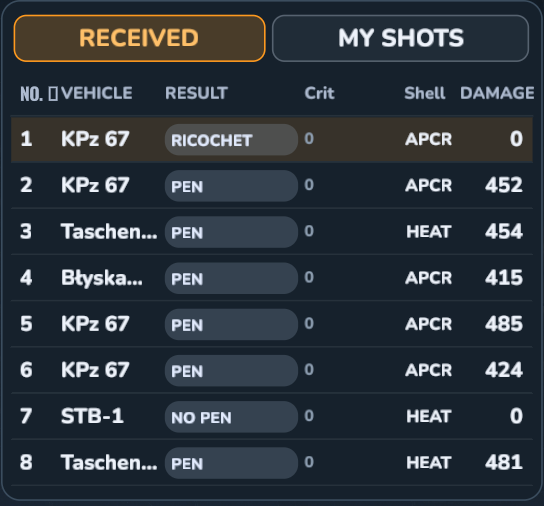
“Received” shows who hit your tank. “My shots” shows your hits on enemies. Each row has the result, critical damage, shell type and damage.
In battle, the mod marks the hit on your tank. In the Garage, it shows the angle, the armour and the shell, so you can work out why the tank lost hit points or held the blow.
“Received” shows who hit your tank. “My shots” shows your hits on enemies. Each row has the result, critical damage, shell type and damage.
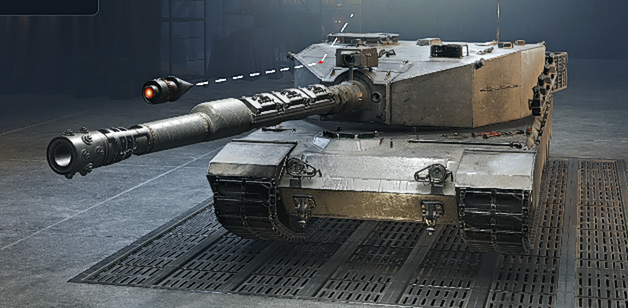
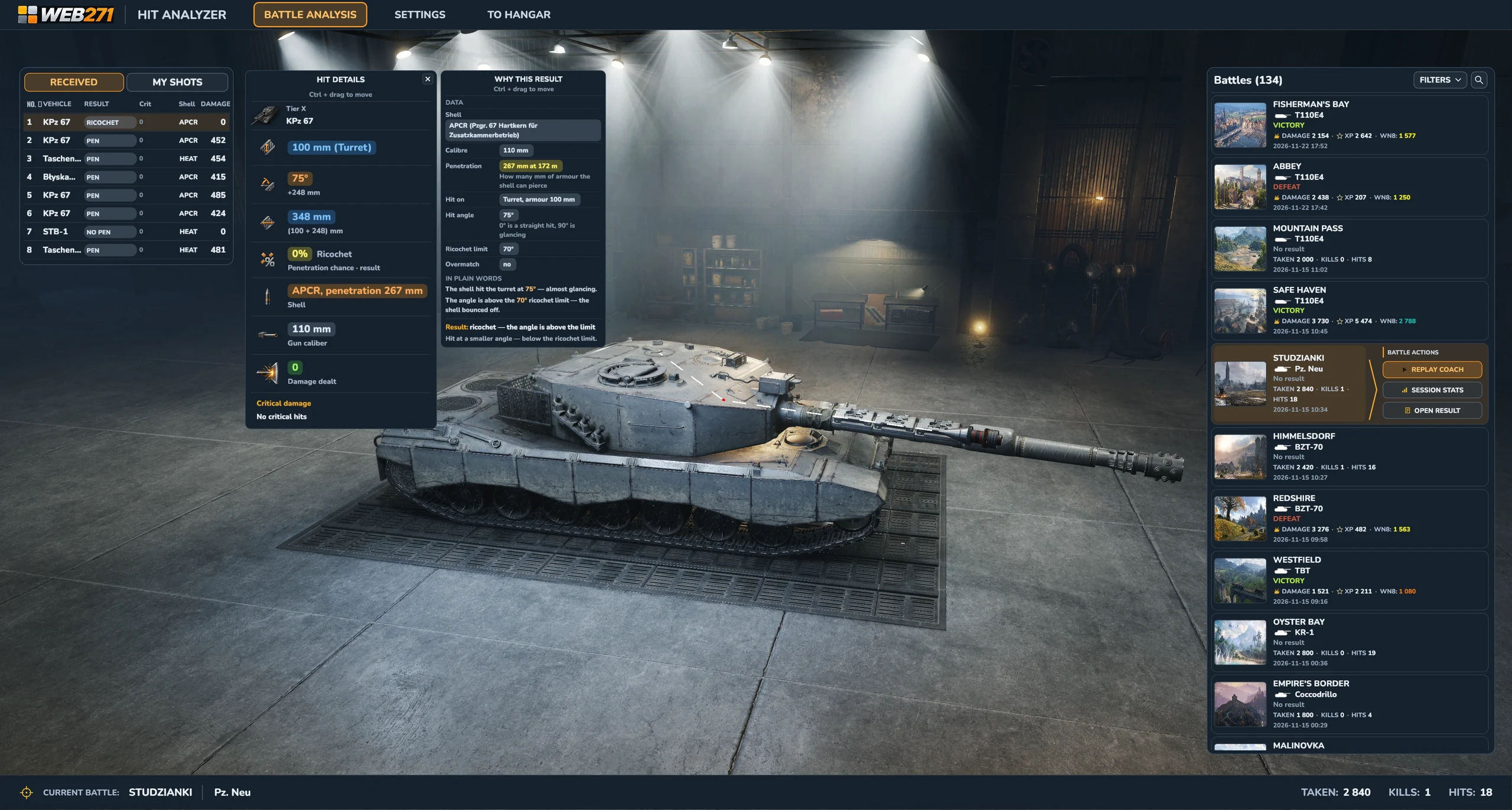
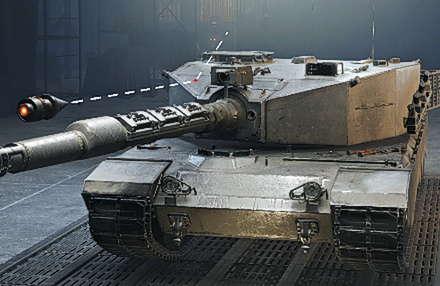
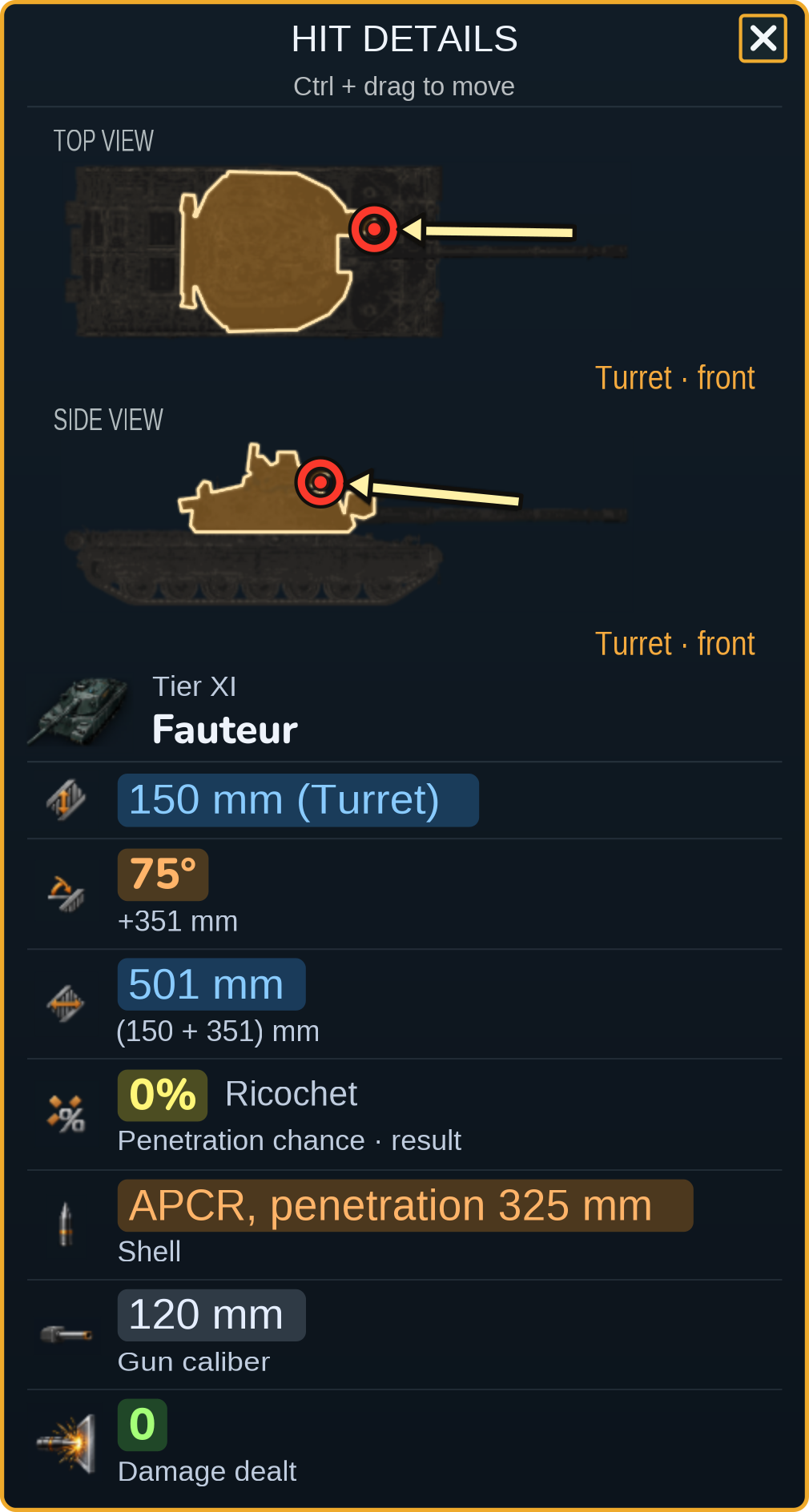
The KPz 67 hit the Pz. Neu turret at 75°. For this APCR shell the ricochet limit is 70°. The shell bounced off, and the tank kept its hit points.
The red dot on the turret marks where the shell struck. The white dashed line shows the angle at which the shell came to the armour.
15.11.2026 · 10:34
During a battle, Hit Analyzer shows the hit on your tank. The card shows where the shell came from, where it struck and how many hit points the tank lost.
In this episode a Fauteur fired at your tank. The red mark shows where the blow landed: the front of your turret. The top view shows the side of the hit, and the side view shows the height and slope of the trajectory. The arrows lead to the same point.
Hit Analyzer builds the history from replays in the background. If you remember only the tank, the map or the approximate time, you can find the battle in the Garage by these and return to its hits.
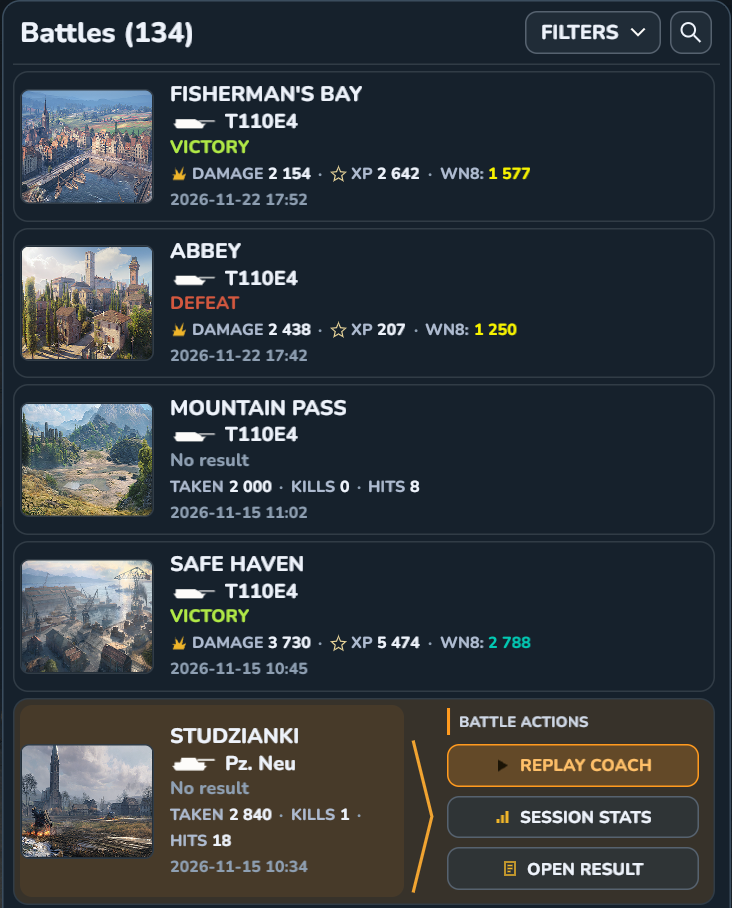
Studzianki · Pz. Neu. The battle of 15 November 2026 at 10:34 is selected in the history. The “No result” label means the outcome of the battle is unknown in this record. Still, it shows 2,840 damage taken, one enemy destroyed and 18 hits.
Three actions appear on the right of the selected row. Each applies to the selected battle on Studzianki.
Replay Coach opens the replay so you can watch the episode in motion. Go to Replay Coach
Session Stats shows the statistics of this battle. Go to Session Stats
“Open result” opens the detailed post-battle report in the client, when it has been saved.
To find the battle shown, type “Pz. Neu” in the tank search field, choose the “Studzianki” map and leave “All” in the “Battle result” row. The counter shows how many records match these conditions. “Apply” puts them into the history, “Reset” clears the conditions.
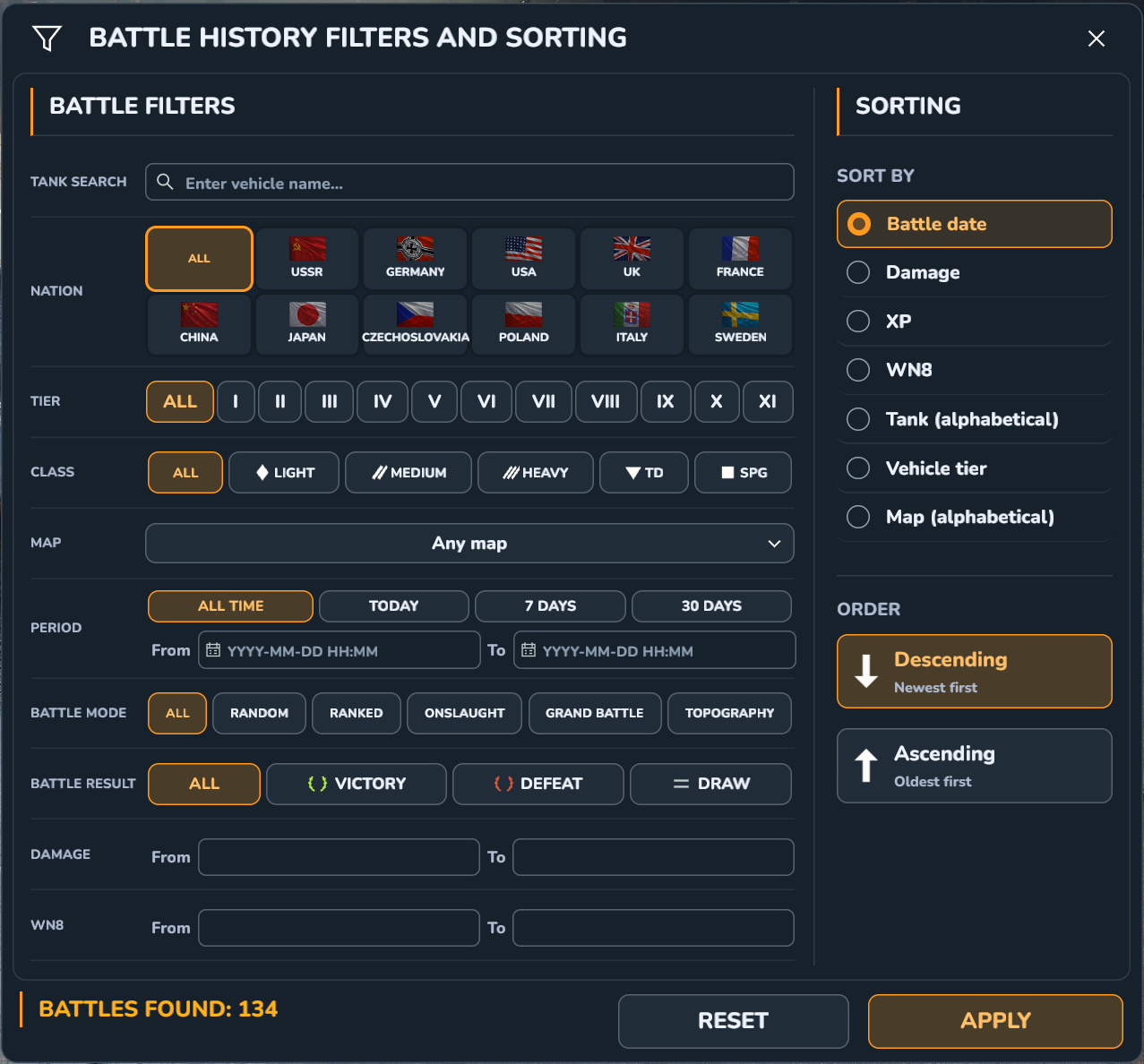
The field and direction of sorting are chosen in the right part of the window. In the screenshot battle date, descending is selected, so the newest records come first. In ascending order, earlier dates or smaller values come first.
The Hit Analyzer download link will appear here.
A step-by-step installation guide will appear here.
The whole Garage review: hits on the tank model, an explanation in words, battle history and filters.
Hit review right in battle. Included only in Pro — €9 a month, the first 7 days free. What the subscription gives